


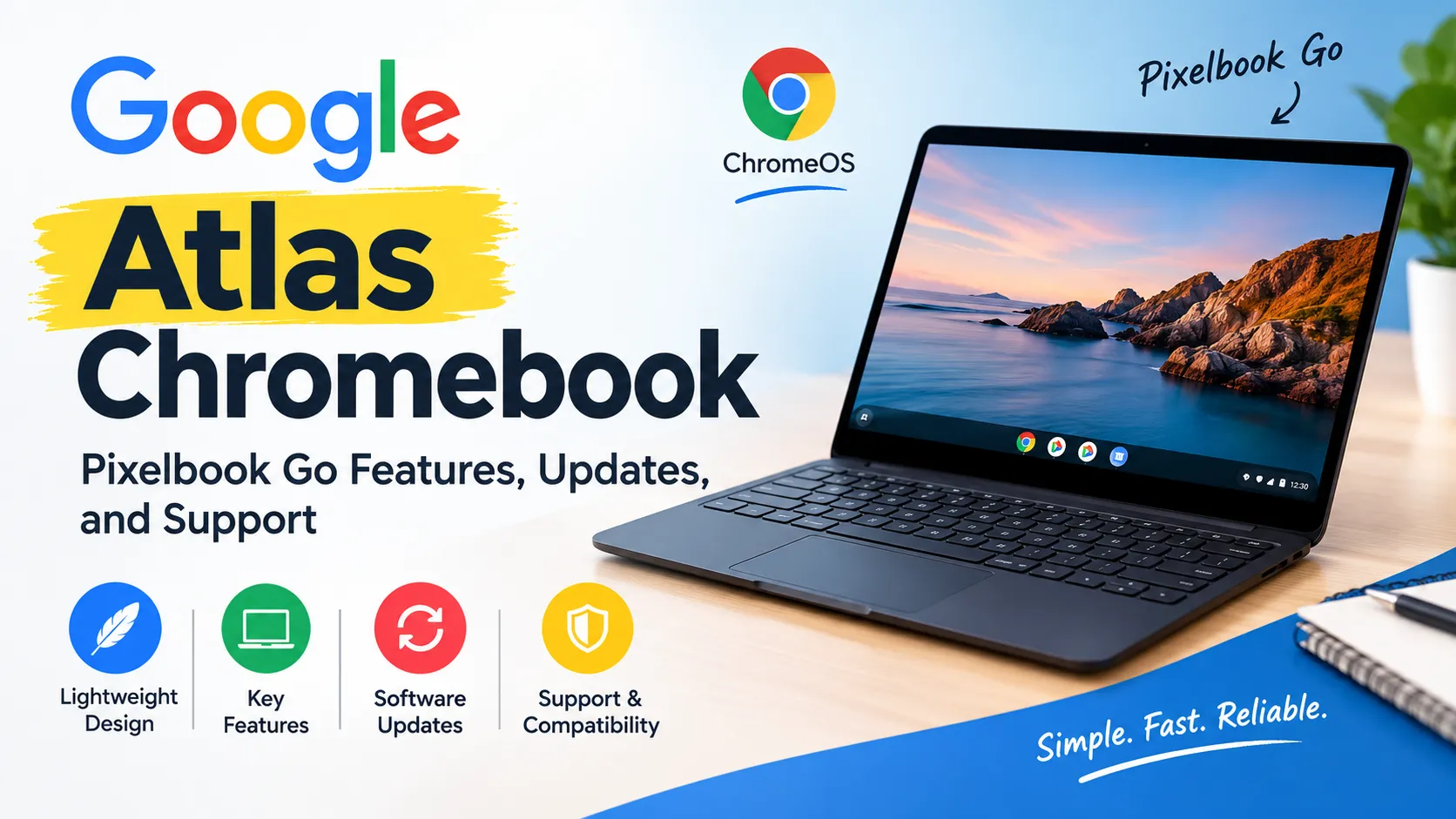
The Google Atlas Chromebook is the internal codename for the Google Pixelbook Go. It is a lightweight laptop released by Google in 2019 that runs ChromeOS, and it is still referenced in Google’s ChromeOS development documentation. The name “Atlas” identifies the device in technical records rather than a separate, officially marketed Chromebook model.
If you are searching for Google Atlas Chromebook specifications, software support, development details, or compatibility, the key point is that Atlas refers to the Pixelbook Go, not a confirmed new Chromebook announced under that name.

What Is the Google Atlas Chromebook?
Atlas is Google’s development codename for the Pixelbook Go. Device codenames are used in software development, hardware testing, and operating system builds to identify particular devices and their underlying hardware platforms.
Google’s ChromeOS developer documentation lists the Pixelbook Go with the codename atlas and the board name atlas. Google’s Fuchsia development documentation also identifies the Pixelbook Go as Atlas, confirming the connection between the codename and the commercial laptop.
The distinction matters because searching for “Google Atlas Chromebook” can produce technical documentation, firmware references, developer discussions, and articles about supposed new hardware. Those results do not necessarily refer to a new retail product.
Google Atlas Chromebook Specifications
The Pixelbook Go was designed as a portable laptop for everyday computing, online work, studying, and entertainment. Its specifications vary by configuration, so buyers should distinguish between the model’s general features and the hardware included in a particular used or refurbished unit.
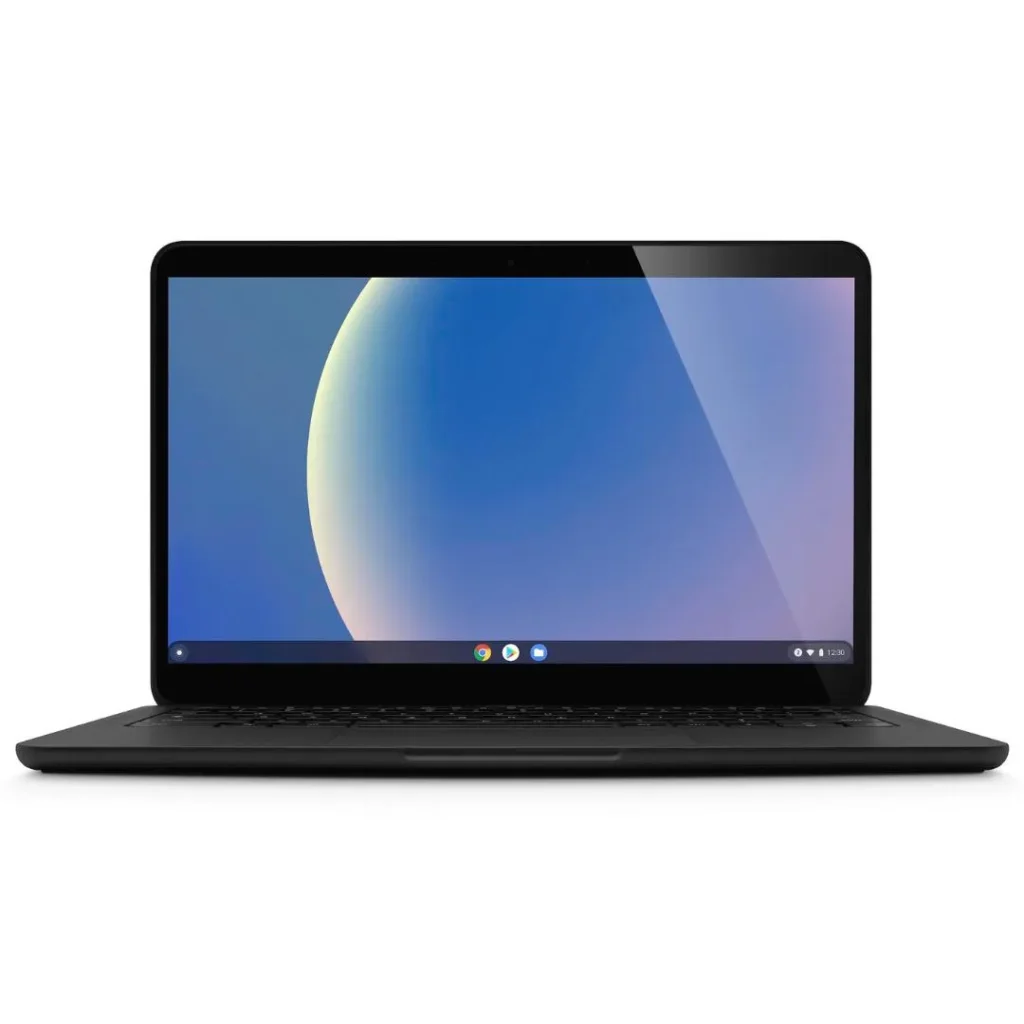
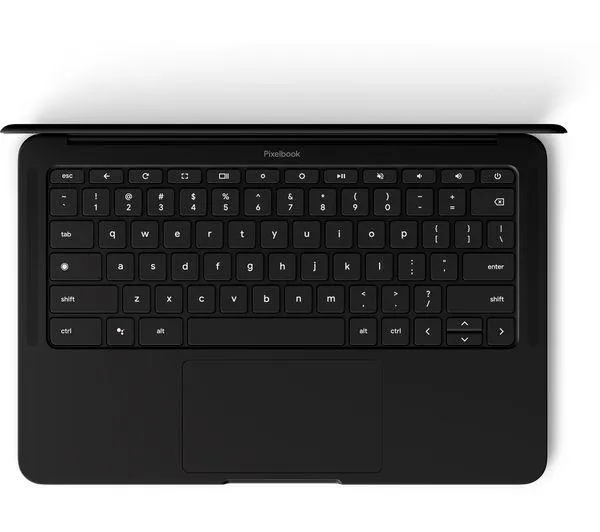
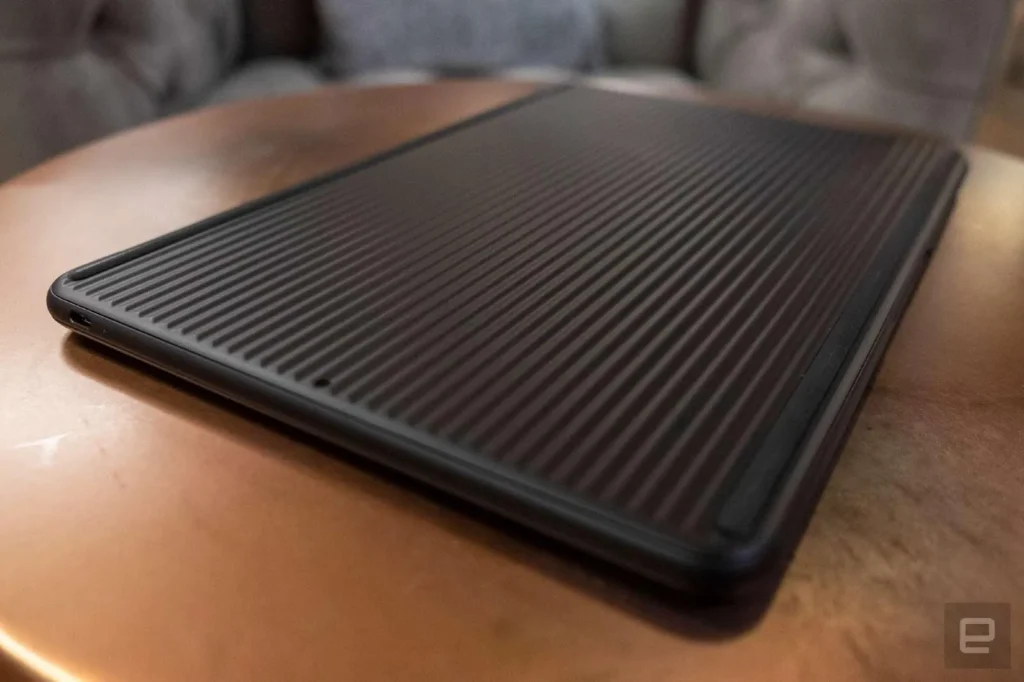
Google’s product documentation and developer references identify the Pixelbook Go as the Atlas device. The following table summarizes its main hardware characteristics.
| Specification | Details |
|---|---|
| Commercial name | Google Pixelbook Go |
| Development codename | Atlas |
| Operating system | ChromeOS |
| Display | 13.3-inch touchscreen on supported configurations |
| Display resolution | Full HD or 4K UHD, depending on model |
| Processor | Intel Core m3, Core i5, or Core i7, depending on configuration |
| Memory | 8 GB or 16 GB RAM |
| Storage | 64 GB, 128 GB, or 256 GB, depending on configuration |
| Front camera | 1080p webcam |
| Wireless connectivity | Wi-Fi and Bluetooth |
| Charging | USB-C |
| Keyboard | Backlit keyboard on supported configurations |
| Form factor | Traditional clamshell laptop |
These specifications describe the Pixelbook Go product family rather than one specific unit. Exact configurations can differ by region and original retail model. Before buying a used device, verify the processor, memory, storage, screen resolution, battery condition, and model details directly.
Why Is the Device Called Atlas?
Google uses internal codenames to distinguish hardware during development and testing. These identifiers are useful to software developers because operating system builds and device-specific components may be associated with a codename rather than a retail product name.
Google’s ChromeOS developer resources explicitly identify Atlas as the Pixelbook Go. The company’s device-requesting documentation also lists “Atlas” alongside “Eve,” the codename for the original Pixelbook.
The codename can appear in firmware information, development tools, system logs, and technical discussions. However, seeing Atlas in a device record does not automatically mean that the laptop has experimental hardware or runs an unofficial operating system.
Google Atlas Chromebook Features and Everyday Uses
The Pixelbook Go combines a portable design with ChromeOS, Google’s operating system built around the Chrome browser and web applications. It can handle common tasks such as document editing, online research, email, video calls, streaming, and cloud-based collaboration.
1. Portable Design
The Pixelbook Go has a slim clamshell design intended for carrying between home, school, and work. Its compact screen makes it suitable for users who want a laptop that takes up less space than many larger productivity machines.
The actual portability of a second-hand device depends on its condition, battery health, and accessories. A worn battery can make an otherwise lightweight laptop less convenient for travel.
2. ChromeOS and Google Services
ChromeOS supports the Chrome browser, Google Drive, Google Docs, Gmail, Google Meet, and other compatible applications. Many everyday tasks can be completed through a browser without installing traditional desktop software.
Some features require an internet connection, while others support offline use after the appropriate setup. Google documents offline file access and other common workflows in its Pixelbook Help Center.
3. Touchscreen and Display Options
The Pixelbook Go was sold with different display configurations, including Full HD and 4K UHD options. A touchscreen is useful for navigating compatible apps and interacting directly with on-screen content.
A higher-resolution display can make text and images appear sharper, but it may not be necessary for basic browsing or document editing. Buyers should check the precise configuration instead of assuming that every Atlas device has a 4K screen.
4. Keyboard and Video Calls
The laptop includes a built-in keyboard and webcam for writing, meetings, and remote learning. Its conventional laptop layout is suitable for users who prefer typing on physical keys rather than using a tablet keyboard.
Video-call quality also depends on lighting, network performance, and the condition of the camera and microphone. A refurbished unit should be tested before purchase.
5. Linux Development Support
The Pixelbook Go has also been used for software development. Google’s Fuchsia documentation lists the Atlas device as supported and regularly tested for its Chromebook development workflow.
This does not mean that every developer tool will work without additional configuration. Installing an alternative operating system or experimenting with development firmware can introduce compatibility problems and may erase local data.
Also Read: ext:asp intitle:cart: Meaning, Uses, and Search Guide
Is the Google Atlas Chromebook Still Supported in 2026?
Yes. According to Google’s current Pixelbook support documentation, the Pixelbook Go has an Auto Update Expiration (AUE) date of August 2029. This means Google currently lists the model as eligible for automatic ChromeOS updates until that date, subject to the applicable support policy.
This is an important consideration for anyone planning to purchase an Atlas device in 2026. The Pixelbook Go is an older laptop, but its published update deadline extends beyond 2026.
Google explains that AUE marks the point when automatic software updates stop. Those updates include security fixes, bug fixes, and new features, so the expiration date matters for both functionality and security.
| Support question | Current information |
|---|---|
| Does Atlas refer to a real Google laptop? | Yes, the Pixelbook Go |
| Is it still within its published update period? | Yes, as of October 2026 |
| Published AUE date | August 2029 |
| Will every device remain in good condition until then? | No, hardware condition varies |
| Is the codename itself a separate product? | No |
The AUE date should not be confused with a warranty expiration date. A laptop may remain physically usable after its automatic updates stop, but missing security updates can increase the risks of continued everyday use.
How to Identify an Atlas Chromebook
If you have found “Atlas” in a Chromebook’s system information, you can check whether the device is a Pixelbook Go before making any assumptions about its identity.
Follow these steps.
- Turn on the Chromebook and open its settings.
- Open the ChromeOS information page to check the operating system version.
- Inspect the device’s model information and hardware configuration.
- Compare the details with Google’s official Pixelbook Go documentation.
- If you are buying a used device, ask the seller for the exact model and verify its physical condition.
Google’s developer documentation provides another way to confirm the connection: its official device list identifies the Pixelbook Go with the atlas codename.
Be careful with third-party firmware downloads or websites claiming that Atlas is an unreleased Google laptop. A codename alone does not establish that a file is safe, that a device is genuine, or that a supposed new model exists.
Can You Install Another Operating System on Google Atlas?
The Pixelbook Go is associated with ChromeOS, but developers can experiment with other operating systems using supported development procedures. Google’s Fuchsia project documents a Chromebook installation workflow that includes the Pixelbook Go, identified as Atlas.
However, this is a developer-oriented process, not a simple consumer upgrade. It can require a suitable build environment, a bootable USB drive, developer settings, and familiarity with system recovery.
Before modifying the operating system, back up important files and review the official instructions. Google warns that unsupported modifications can cause hardware, software, or security problems and may affect warranty coverage.
For most everyday users, keeping the device on its supported ChromeOS configuration is the more straightforward option.

Advantages and Limitations of the Google Atlas Chromebook
The Pixelbook Go’s strengths depend on what you need from a laptop. Its portable design and ChromeOS environment can suit everyday work, but its age and fixed hardware are important considerations.
| Advantages | Limitations |
|---|---|
| Lightweight, portable design | Older processor platform |
| Suitable for web-based productivity | Limited upgrade options |
| Available with different display and memory configurations | Not ideal for demanding modern games |
| Supports common Google services | Some desktop applications may not be available |
| Published updates listed through August 2029 | Used units may have battery wear |
| Documented developer support for selected workflows | Alternative operating systems require technical knowledge |
For browsing, writing, streaming, and online learning, the Pixelbook Go can remain useful. People who need intensive video editing, demanding Windows applications, modern gaming, or substantial local storage should compare newer laptops before deciding.
Should You Buy a Google Atlas Chromebook in 2026?
A used Pixelbook Go may be worth considering if its price is reasonable, its battery remains healthy, and its specifications meet your needs. Google’s published August 2029 AUE date is also a relevant advantage compared with older Chromebooks whose update periods have already ended.
Before purchasing, check the following:
- Battery health: Make sure it holds a useful charge and does not shut down unexpectedly.
- Performance: Test the browser with the number of tabs and applications you normally use.
- Display and keyboard: Look for screen defects, damaged keys, and touchscreen problems where applicable.
- Storage and memory: Confirm the installed configuration rather than relying on the seller’s description.
- Security and ownership: Make sure the device is not locked to a previous owner’s account or managed by a school or business.
- Price: Compare it with newer Chromebooks offering similar performance and a longer remaining service life.
A newer Chromebook may provide better performance or a more suitable warranty, even if it costs more. The right choice depends on the device’s condition, the local second-hand price, and how long you intend to keep it.
Google Atlas Chromebook vs. Google Pixelbook
These names are related, but they refer to different devices. The original Google Pixelbook, released in 2017, is associated with the codename Eve, while the Pixelbook Go, released in 2019, is associated with Atlas.
| Feature | Google Pixelbook | Google Pixelbook Go |
|---|---|---|
| Codename | Eve | Atlas |
| Release year | 2017 | 2019 |
| Design | Convertible laptop | Traditional clamshell laptop |
| Touchscreen | Yes | Yes, on supported configurations |
| Published AUE | August 2027 | August 2029 |
Google’s published support table lists August 2027 for the original Pixelbook and August 2029 for the Pixelbook Go. These dates are useful when comparing used devices because they indicate their respective published automatic update deadlines.
Frequently Asked Questions
1. What is Google Atlas Chromebook?
Google Atlas Chromebook is a technical reference to the Google Pixelbook Go. Atlas is the device’s internal codename, used in ChromeOS development and other technical documentation.
2. Is Google Atlas a new Chromebook?
There is no verified evidence in the cited official documentation that Atlas is a newly announced Chromebook. Google’s developer resources identify Atlas as the existing Pixelbook Go.
3. When will Google Atlas stop receiving updates?
Google currently lists August 2029 as the Pixelbook Go’s Auto Update Expiration date. Buyers should check Google’s support information for any subsequent policy changes.
4. Can Google Atlas run Linux?
Yes, the Pixelbook Go supports documented Linux-related development workflows, and Google’s Fuchsia project includes Atlas in its Chromebook installation guidance. Alternative operating systems may require technical setup and can introduce risks.
5. Is Google Atlas good for students?
It can be suitable for web research, document editing, online classes, and other browser-based schoolwork. Before buying one for a student, check battery condition, required applications, device management restrictions, and the remaining update period.
6. How can I check whether my Chromebook is Atlas?
Compare its model information with Google’s official Pixelbook Go specifications and ChromeOS developer documentation. The codename atlas is associated with the Pixelbook Go, but it should not be the only check used to establish a device’s identity.
Also Read: SearchSource Explained: Meaning, Uses, and Key Features
