


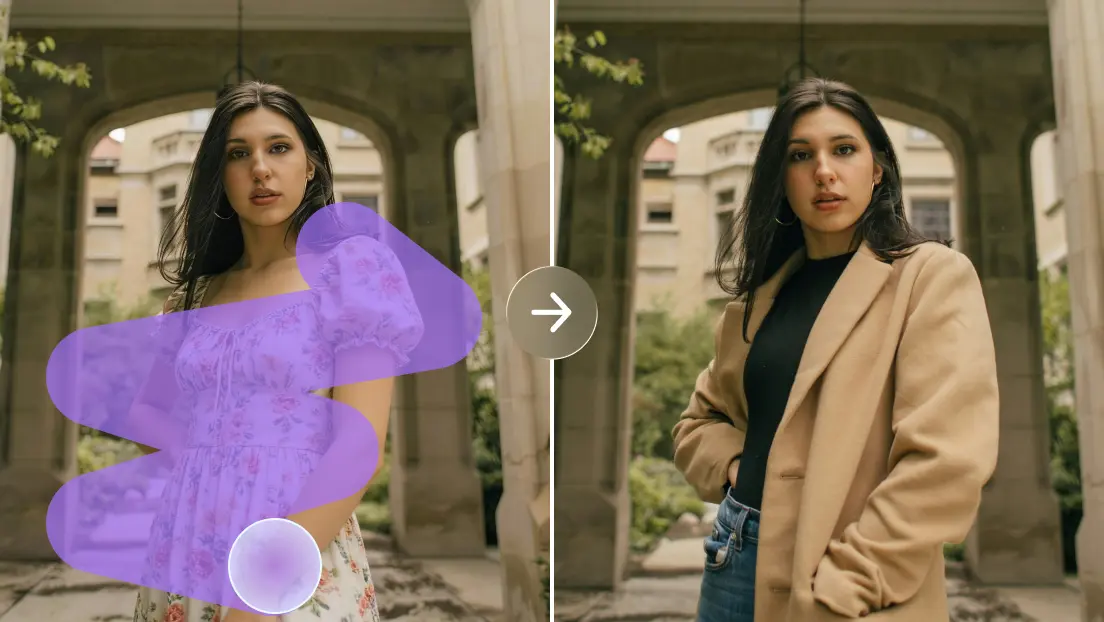
Search for the best free ai image generator and you will find a dozen confident rankings, each naming a different winner. That is not because the writers are careless. It is because the best tool depends on what you need to make, how often, and what you plan to do with the results.

Start With the Job, Not the Tool
Before comparing anything, write down what you intend to produce, because the best free ai image generator for a podcaster is rarely the best one for a shop owner. A podcaster making episode artwork has different needs from a teacher creating classroom posters or an online shop owner mocking up product backgrounds. List your top three use cases, the sizes and formats you need, and whether the images will be published publicly. That list becomes the lens for everything below.
Criterion One: Prompt Accuracy
A good generator follows instructions. Ask for a specific scene with several elements, such as a green teapot on a wooden shelf beside two yellow cups, and see how many details survive. Do not judge on a single run. Generate at least four images per prompt and note how often the tool gets the essentials right. A tool that nails the brief half the time will save you more effort than one that produces beautiful but irrelevant pictures.
Criterion Two: Style Range and Consistency
Some tools shine at photorealism and struggle with illustration, and the reverse is also true. Test the styles you actually use. If you need a recognizable look across a series, such as ten illustrations for one article, check whether the tool lets you hold style steady through reference images, saved settings or consistent wording.
Criterion Three: Limits on the Free Tier
Read what free really includes. Look for the number of generations, resolution caps, queue times, watermarks and any features locked behind payment. Limits are not a flaw by themselves, since someone has to pay for the computing power, but they should match your volume. If you create five images a week, a daily allowance is plenty. If you need fifty in an afternoon, you will hit the wall quickly.
Criterion Four: Licensing and Commercial Use
This is the criterion people skip and later regret. Find the terms of service and look for language on commercial use, attribution and ownership of generated output. Policies often differ between free and paid plans. Save a copy of the terms you accepted, because they can change. If an image will appear on a client’s website or product packaging, confirm that you are allowed to use it that way.
Criterion Five: Editing and Refinement Tools
First results seldom finish the job. Check whether the tool supports variations, upscaling, regenerating part of an image or adjusting aspect ratio. These features decide whether you can rescue a nearly perfect image or must start over. A modest generator with strong refinement tools often beats a flashy one with none.
Criterion Six: Speed and Ease of Use
A tool you find frustrating is a tool you will stop using. Time how long a generation takes at different hours, and notice whether the interface makes sense without a tutorial. Beginners benefit from clear prompt fields and visible examples. More experienced users may want control over settings. Neither group should need a manual to export a file.
Criterion Seven: Privacy and Data Handling
Find out what happens to the prompts and images you submit. Some platforms may use content to improve their systems, and some offer opt-outs. If you are working with confidential client material, such as unreleased product designs, check this before uploading anything. For purely creative personal projects, it may matter less, but it is still worth knowing.
A Simple Testing Routine
Choose five prompts that mirror your real work. For instance, a plain product shot, a lifestyle scene with people, an abstract concept for a headline, a stylized illustration, and one prompt containing a few words of text. Run each through every tool you are considering, generating four images per prompt. Score each tool from one to five on accuracy, style, polish and usability, and keep notes on anything strange, such as consistent distortions or slow responses.
No list can name the best free ai image generator for every user, but running your test set through Dreamina’s browser tool alongside two or three alternatives will show you quickly where each one is strong. Compare the scores, weigh them against your top use cases, and decide based on your own results rather than a stranger’s ranking.
Red Flags to Watch For
A few warning signs deserve attention. Be cautious about tools with no visible terms of service, those that demand more personal information than an account needs, and platforms that make sweeping promises about quality without showing sample prompts. Unusually restrictive export options can also be a problem, for example if images only download at very small sizes. Finally, be wary of any service that claims to guarantee that outputs are free from legal risk, because no honest provider can promise that.
Revisit Your Choice Every Few Months
This field moves quickly. Models improve, limits change and new features appear. A tool that was mediocre last spring may now be excellent, and a favorite may have tightened its free plan. Keep your five-prompt test saved and rerun it every few months. The process takes under an hour and keeps your workflow current without constant research.
A Worked Example: Comparing Three Tools for a Podcast
Suppose a podcaster needs weekly episode artwork in a consistent illustrated style. She writes three test prompts that describe recent episodes, runs each through three tools, and scores the results. Tool A follows instructions well but offers only a flat, photographic look. Tool B has lovely style but ignores half of each prompt. Tool C scores a little lower on polish yet allows variations and keeps a steady style across a batch. Because consistency and refinement matter most for a weekly series, she chooses Tool C, a decision that a generic ranking would never have predicted.
Frequently Asked Questions
What makes a free AI image generator the best one?
There is no universal answer. The best option is the one that follows your prompts accurately, suits the visual styles you need, offers enough free usage for your volume and has licensing terms that fit how you will publish the images.
Are free AI image generators safe to use?
Reputable platforms are generally fine for everyday creative work, but you should review privacy policies, avoid uploading confidential material without checking how data is handled, and use strong account security as you would with any online service.
How can I compare two AI image generators fairly?
Use the same set of prompts on both, generate several images per prompt, and score the results on accuracy, style, polish and usability. Testing at different times of day also reveals differences in speed.
Do free plans allow commercial use of the images?
Some do and some do not. The rule varies by platform and plan, and can change over time. Check the current terms of service before using generated images in client work or products for sale.
How often should I reevaluate my chosen tool?
Every three to six months is a reasonable schedule, given how quickly models, features and free-tier limits change. Rerunning your saved test prompts makes this quick.
Conclusion
Choosing well comes down to clarity about your own needs and a bit of structured testing. Define your use cases, measure each tool against the seven criteria, and read the fine print on licensing before relying on any output. A careful hour of comparison now can save you months of frustration later, and it leaves you with a decision you can explain to a client or editor with confidence.
