


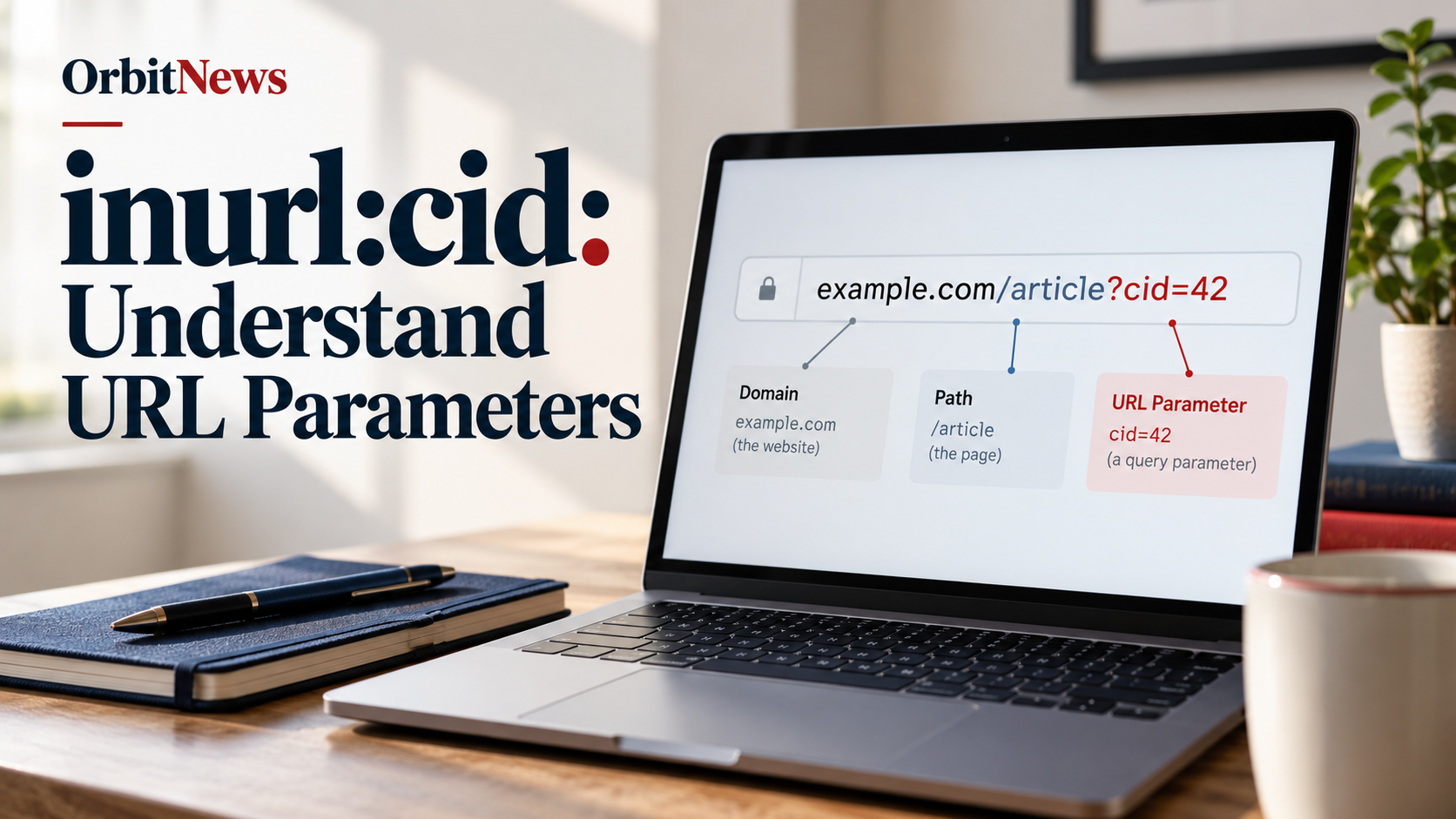
inurl:cid is a search expression intended to find cid in web addresses. It does not establish what those letters mean in a particular application, and it is different from the cid: URL scheme used for content references in messages.
To interpret a result, identify whether cid appears in a path, a query parameter, or another technical context. The surrounding syntax and the application’s documentation provide the meaning. The letters alone are not a universal definition.

Read the address before expanding the abbreviation
A developer can choose a short parameter name for an application-specific purpose. Without documentation, expanding cid into a particular phrase is a guess. Describe what is visible first: the parameter name, its value, and the page or system involved.
In the invented address https://example.com/article?cid=42, cid is a query-parameter name and 42 is its value. The example does not tell us what record the value selects, whether it is optional, or how the server processes it. It is a teaching example, not a live target.
The same letters could appear in a path or a page title instead. Those cases should not automatically be treated as query parameters. Reading the structure prevents a familiar abbreviation from being assigned the wrong technical meaning.
What inurl:cid is intended to find

The commonly used inurl: syntax concerns wording in an address. It can help discover public pages following a naming pattern, but it is not a parser, a database inspector, or a test of application behaviour.
Google’s Advanced Search interface documents URL-term filtering. Its current general help does not comprehensively guarantee every legacy typed combination. Use the documented interface or a normal product-specific search if the expression behaves unexpectedly.
Search retrieval is also limited. A result list cannot provide a complete inventory of every public page using a parameter. For a website you administer, your own authorised content and routing records are better suited to systematic auditing.
Query parameters have names and values
The query portion of a URL can carry name-value pairs. MDN’s URLSearchParams documentation explains an interface for working with such parameters. That documentation helps describe the syntax, but the application decides how a particular named value is interpreted.
A value that looks numeric is not automatically a customer identifier or database row number. A familiar parameter label is not evidence of a particular storage system. Avoid turning visible syntax into an unsupported claim about server internals.
If you are writing documentation, give a fictional or appropriately sanitised example and explain its limits. Real addresses may contain tokens, personal data, or account-specific values that are unnecessary to reproduce. Keep the example focused on the concept being taught.
A clean-looking address without a query string does not prove that an application uses no identifiers. It may express its routes differently. Likewise, the same visible parameter name can be interpreted differently by two products. Check the named system rather than using the appearance of one URL to describe a whole category of applications.
When reporting an observation, preserve the distinction between what the address displays and what documentation confirms. That small separation prevents a factual description of syntax from becoming an unsupported explanation of the software behind it.
cid: in messages is a separate concept

RFC 2392 describes the cid: and mid: URL schemes for references associated with messages and their body parts. In that context, cid: is a defined scheme, not simply a website’s chosen query-parameter name.
This distinction is useful when a reader sees cid: in an email-related question and cid= in a web address. The similar letters do not make the two structures interchangeable. Search the actual context, such as embedded message content or application URL parameters.
Do not apply a definition from an email standard to an unrelated website without evidence. Likewise, a site’s own parameter documentation does not redefine the standard scheme. The relevant source depends on which structure you are examining.
Better queries for different questions
| Illustrative query | Purpose |
|---|---|
inurl:cid "public topic" | Explore public address wording with an actual subject. |
"application name" cid parameter documentation | Investigate a system-specific definition. |
site:developer.mozilla.org URLSearchParams | Learn query-parameter concepts from the reference. |
"RFC 2392" cid | Read the distinct message-related URL scheme definition. |
These are discovery patterns, not instructions to alter unknown identifiers or retrieve private records. Replace the placeholders with the actual system or topic and verify that the source addresses that question directly.
Follow published navigation for ordinary browsing
If you simply want an article or product page, use the website’s links and search function. Understanding the parameter does not require changing values to see what other records appear. The query gives no permission to bypass logins or access controls.
For an authorised site review, inspect route definitions, documentation and relevant public page behaviour within the agreed scope. A parameter’s presence is not a vulnerability finding. A security claim requires evidence about how the application handles requests and permissions.
If the issue is indexing, inspect the actual page in Search Console where you have access. Google’s operator guidance warns that retrieval and indexing limits apply. A missing result does not prove that the application never uses cid or that a page has been removed.
Keep the conclusion proportional to the evidence
A careful explanation might establish only that a public address contains a parameter called cid. That is a legitimate observation. It should not become a claim about the owner’s database, the identity of a user, or the safety of the whole website.
When documentation supplies a definition, attribute it to that application and version. When the meaning remains unknown, leave it unresolved. The point of a technical search is to clarify a question, not to conceal missing information behind a plausible expansion of an abbreviation.
For related reading, see the PHP-and-cid query combination and the ASP-and-cid query combination.
Frequently asked questions
Is cid always a category identifier?
No. A web application’s parameter names are application-specific. Consult its documentation before assigning an expansion.
Is cid=42 the same as a cid: URL?
No. A named query parameter and the message-related cid: scheme are different structures with different contexts.
Does inurl:cid reveal a database?
No. Visible address wording does not establish the application’s internal storage or expose its underlying records automatically.
Where should I check the technical meaning?
Use the application’s documentation for its parameter, MDN for query-parameter concepts, and RFC 2392 for the distinct message scheme.
Sources
MDN: URLSearchParams; RFC 2392: Content-ID and Message-ID URLs; Google Advanced Search filters; Google operator limitations.
