



GramSnap is associated with online tools for downloading Instagram photos, videos, Reels, and other publicly accessible content. Its related service, iGram World, provides a browser-based Instagram downloader that lets users save supported media by copying and pasting a post link rather than signing in to Instagram through the downloader.
People searching for GramSnap, iGram World, or iGram World login usually want to find the correct website, understand how the downloader works, and determine whether it is safe to use. The key distinction is that these services are third-party tools, not official Instagram products, so users should verify the website address and protect their account credentials.

What Is GramSnap?
GramSnap is a name associated with online Instagram media-downloading services. The website GramSnap’s iGram downloader page describes a tool for saving Instagram photos, videos, Reels, and carousel posts through a copied link. Its advertised features include browser-based access, downloads without an Instagram login, and media without an added downloader watermark.
The service is intended for people who want to keep a copy of content for offline viewing, personal reference, or other permitted uses. Instead of connecting an Instagram account, users can generally copy a link to an eligible post and submit it through the downloader.
However, advertised features are not a guarantee that every link will work. Instagram changes its systems, and access can depend on the type of post, account visibility, and the downloader’s current capabilities.

GramSnap and iGram World: Are They the Same Website?
GramSnap and iGram World are related in the broader Instagram-downloader space, but their website addresses are different. GramSnap hosts an iGram-branded downloader at gramsnap.com/en/igram/, while iGram World operates at igram.world. Both describe tools for saving Instagram media, but their features, policies, and website operators should not automatically be assumed to be identical.
Here are the main differences to understand.
| Detail | GramSnap | iGram World |
|---|---|---|
| Website | gramsnap.com | igram.world |
| Main purpose | Download Instagram media | Download Instagram media |
| Access method | Browser-based | Browser-based |
| Typical workflow | Copy and paste a post link | Copy and paste a post link |
| Account requirement | Advertises downloads without login | Describes link-based downloads without installation |
| Official Instagram service? | No indication of official affiliation | Explicitly states it is not affiliated with Instagram or Meta |
The table reflects the services’ published descriptions, not an independent security audit.
How to Access iGram World Login
Users searching for “igram world login” may expect a login page similar to Instagram’s. However, the core downloader workflow described on iGram World’s official website does not require users to sign in to Instagram. Its FAQ explains that users can paste a public post’s URL into the downloader and save supported media.
To use the downloader, follow these steps.
- Open igram.world directly in your browser.
- Open Instagram separately and find the public photo, video, or Reel you want to save.
- Use the post’s menu to copy its link.
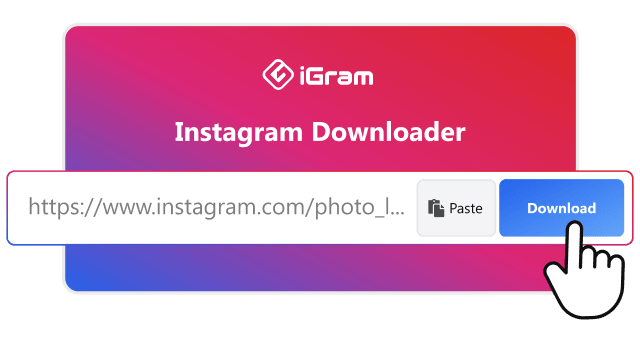
- Return to iGram World and paste the link into the downloader field.
- Submit the link and, if the content is supported, choose the available download option.
- Check your browser’s downloads list or your device’s Downloads folder for the saved file.
The exact interface and available options may change over time. If a page asks you to enter your Instagram password directly into a downloader form, stop and verify the request before proceeding.
Does iGram World Have a Separate Account Login?
The publicly available FAQ focuses on downloading content through links rather than creating an account. I could not independently confirm a separate, verified account-login system for the downloader, so it would be misleading to claim that a dedicated login portal is required.
For ordinary Instagram account access, use the official Instagram website or its official app. Avoid entering credentials on lookalike websites.
What Can You Download With GramSnap?
GramSnap’s iGram page advertises several types of Instagram media. Actual availability depends on the content link and the service’s current functionality.
Instagram photos
The downloader advertises saving individual photos from supported public posts. This can be useful for keeping a reference copy of an image.
Instagram Reels
Short-form videos may be downloadable when the link is supported. Playback quality and sound availability can vary.
Instagram videos
Supported video posts can be saved for offline viewing, provided the downloader can access the media.
Carousel posts
The service advertises support for posts containing multiple photos or videos. The available download options may depend on the individual post.
These capabilities are described by the service itself and should not be interpreted as a guarantee that every Instagram post can be downloaded.
Is GramSnap Safe to Use?
GramSnap advertises a no-login approach, which can reduce the need to share Instagram account credentials with a third party. However, a website’s own safety claims do not independently establish that it is secure, collects no data, or is free from harmful advertisements.
A cautious approach is best when using any third-party downloader.
Important Security Precautions
- Never share your Instagram password. Meta advises users not to provide their passwords to outside websites or apps, except through official login methods or authorized sign-in flows.
- Avoid suspicious downloads. A browser-based downloader should not normally require an unfamiliar executable file or browser extension just to save a media file.
- Watch for misleading advertisements. Do not click pop-ups claiming your device is infected or asking you to install unrelated software.
- Check the website address. Look for misspellings, unexpected redirects, and pages imitating Instagram’s branding.
- Review requested permissions. A simple media downloader should not need unrestricted access to your accounts, contacts, or messages.
- Keep your browser updated. Current browser security features help reduce exposure to malicious websites and downloads.
Meta has documented cases in which third-party clone sites collected Instagram profile information without authorization. This does not establish that GramSnap or iGram World is involved in those cases, but it explains why users should be careful with services that request credentials or promise access to restricted information.
Does GramSnap Notify the Original Instagram User?
GramSnap’s website advertises anonymous downloads, but that claim should not be interpreted as a guarantee of complete anonymity. The service’s published description does not independently establish what information may be recorded by its infrastructure, hosting providers, analytics tools, or advertising partners.
Also, downloading a public post and viewing an Instagram Story are different activities. Do not assume that using a third-party tool will prevent every type of Instagram activity from being recorded.
Is Downloading Instagram Content Legal?
The legality of downloading or reusing Instagram content depends on the circumstances, the rights involved, and applicable law. Public availability does not automatically mean that a photo or video is free to reproduce, redistribute, or use commercially.
Instagram’s terms and Meta’s intellectual-property guidance address unauthorized access, data collection, and copyright infringement. Users should respect those rules when using third-party tools.
Consider these distinctions:
- Personal reference: Saving a copy for private viewing may raise different issues from republishing it.
- Social media reposting: Giving credit is good practice, but credit alone does not necessarily provide permission to reuse copyrighted material.
- Commercial use: Using another creator’s image in an advertisement, website, or paid campaign may require permission or a suitable licence.
- Private content: Do not use tools that claim to bypass account privacy controls or access material without authorization.
When in doubt, obtain permission from the creator or use content with an appropriate licence. Legal exceptions vary by country, so no single rule applies to every situation.
Why Is GramSnap or iGram World Not Working?
A downloader may fail even when a link opens correctly on Instagram. These services rely on their ability to retrieve supported media, and changes to Instagram’s systems can affect that process.
Common causes include:
| Problem | Possible explanation | What to try |
|---|---|---|
| Invalid link | The copied URL is incomplete | Copy the post link again |
| Download fails | Temporary service or network issue | Retry later |
| Private post unavailable | The downloader cannot access the content | Respect the account’s privacy settings |
| File does not open | Unsupported or incomplete file | Check the file extension and download again |
| Website keeps redirecting | Advertising or browser interference | Close suspicious tabs and use the direct website address |
| Login request appears | The page may be a different service or an unsafe prompt | Do not enter credentials until verified |
iGram World’s FAQ describes support for publicly available posts and notes that downloads are performed through a browser. It also states that its tool does not support downloading multiple videos simultaneously through its standard video-downloader workflow.
GramSnap Alternatives
If GramSnap or iGram World does not work for a particular post, the best alternative depends on whether you want to save your own content, view a post offline, or share someone else’s work.
| Alternative | Best use |
|---|---|
| Instagram’s built-in save feature | Bookmark posts to revisit later |
| Instagram’s own download or export options, where available | Save content through supported Instagram features |
| Your device’s original media files | Preserve photos and videos you created |
| A creator-provided download link | Obtain an authorized copy |
| A reputable third-party downloader | Save eligible public media when permitted |
Instagram’s built-in save feature generally bookmarks a post inside the app rather than downloading the original file to your device. For content you own, retaining your original files is often the simplest way to preserve quality and avoid relying on a third-party service.
Frequently Asked Questions
1. What is GramSnap used for?
GramSnap provides a browser-based Instagram downloader through its iGram page. It advertises tools for saving supported photos, videos, Reels, and carousel posts using copied links.
2. How do I access iGram World login?
Visit igram.world. The site’s main downloader workflow uses a copied Instagram post link and does not describe a separate login as necessary for basic downloading. Use Instagram’s official website or app if you need to sign in to your Instagram account.
3. Is GramSnap free?
GramSnap advertises its iGram downloader as free to use. That is the service’s published claim, and features or usage conditions may change.
4. Can GramSnap download private Instagram posts?
The service describes its downloader as intended for publicly accessible content. You should not expect it to retrieve private posts, and you should not attempt to bypass another user’s privacy settings.
5. Do I need to install an app to use iGram World?
No separate installation is described as necessary for its standard browser-based downloader. You can access the website from a compatible browser on a phone or computer.
6. Is GramSnap officially affiliated with Instagram?
The available website information does not establish an official partnership. iGram World explicitly states that it is not affiliated with Instagram or Meta. Treat both services as third-party tools unless an official relationship can be verified.
