


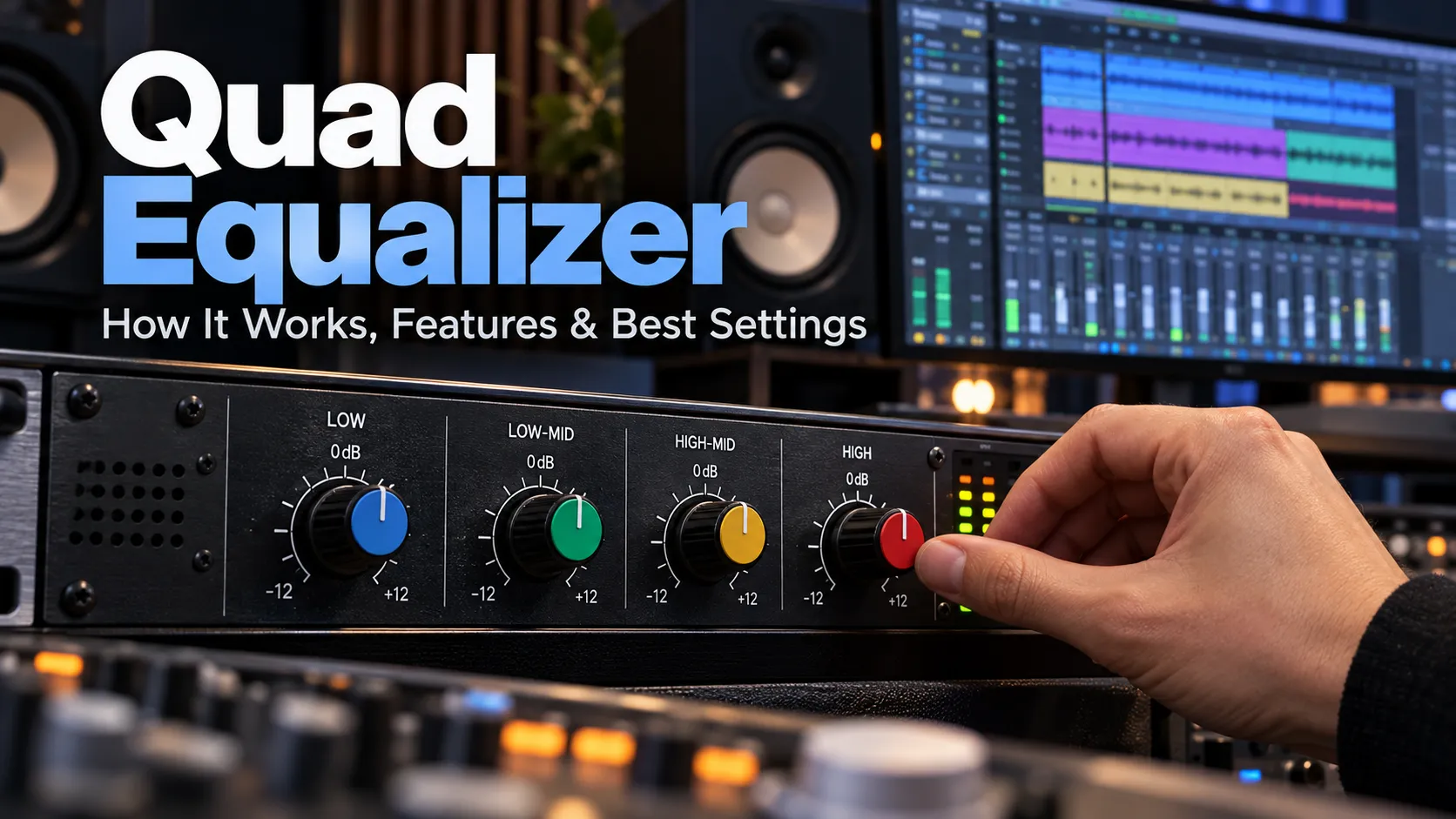
A Quad Equalizer is an audio equalization system that adjusts four frequency bands or processes four separate sound channels, depending on its design. It helps control bass, midrange, treble, and overall tonal balance to produce clearer, more natural sound.
In audio equipment, the term commonly describes a four-band equalizer with individual controls for low, low-mid, high-mid, and high frequencies. However, some professional devices use “quad” to identify four independent audio channels rather than four frequency bands.
Equalization is useful in music production, home audio, live performances, podcast recording, and sound system calibration. Understanding how the controls work allows users to improve sound quality without introducing unnecessary distortion or creating an unnatural listening experience.

What Is a Quad Equalizer?
A Quad Equalizer is a signal-processing system designed to modify selected frequency ranges or provide equalization across four audio channels.
An equalizer, often shortened to EQ, increases or decreases the level of particular frequencies within an audio signal. Instead of adjusting the overall volume, it changes the balance between bass, midrange, and treble.
For example, a recording with excessive bass may sound muddy or unclear. Reducing the appropriate low-frequency range can improve definition without significantly changing the overall loudness.
The word “quad” generally indicates four, but its technical meaning varies by product.
There are three common interpretations:
- Four-band equalizer: Adjusts four frequency regions within an audio signal.
- Four-channel equalizer: Processes four independent audio channels, potentially with multiple EQ bands per channel.
- Quadraphonic equalizer: Provides equalization associated with a four-channel audio playback system.
The distinction matters because four frequency bands and four audio channels are not interchangeable specifications.
Yamaha’s audio documentation identifies four-band equalizers as systems with low, low-mid, high-mid, and high controls. Professional equipment can also contain four independent equalization channels, as demonstrated by Mackie’s Quad EQ processor.
How Does a Quad Equalizer Work?
A Quad Equalizer works by applying electronic or digital filters to selected portions of an audio signal’s frequency spectrum.
Every sound contains a combination of frequencies. Lower frequencies provide bass and weight, middle frequencies carry much of the body and character of instruments and speech, and higher frequencies contribute brightness, presence, and fine detail.
An equalizer modifies the relative strength of these frequencies.
1. Frequency Selection
Frequency determines which part of the audio spectrum an equalizer affects.
It is measured in hertz (Hz), with higher frequencies corresponding to higher-pitched sounds.
For example, adjusting a filter around 100 Hz primarily influences bass content, while changing a filter around 3,000 Hz can affect vocal presence and instrument clarity.
2. Gain Adjustment
Gain controls how much a selected frequency range is increased or reduced.
The adjustment is measured in decibels (dB).
A positive gain setting boosts the selected frequencies, while a negative setting reduces them.
For instance, reducing a troublesome frequency range by 3 dB may help control muddiness. Boosting a suitable higher-frequency range by 2 dB may make a dull recording sound more open.
The effect depends on the original recording, the filter’s bandwidth, and the playback equipment.
3. Bandwidth and Q Factor
Bandwidth describes how much of the frequency spectrum is affected by an adjustment.
The Q factor expresses the selectivity of a filter. A higher Q generally creates a narrower adjustment, while a lower Q affects a wider range.
A narrow adjustment can help reduce a specific resonance. A broad adjustment is generally more suitable for changing the overall character of a voice or instrument.
Not every four-band equalizer offers adjustable Q controls. Shure’s official documentation, for example, describes four-band designs combining adjustable midrange filters with fixed-frequency shelving filters.
Understanding the Four Main Equalizer Bands
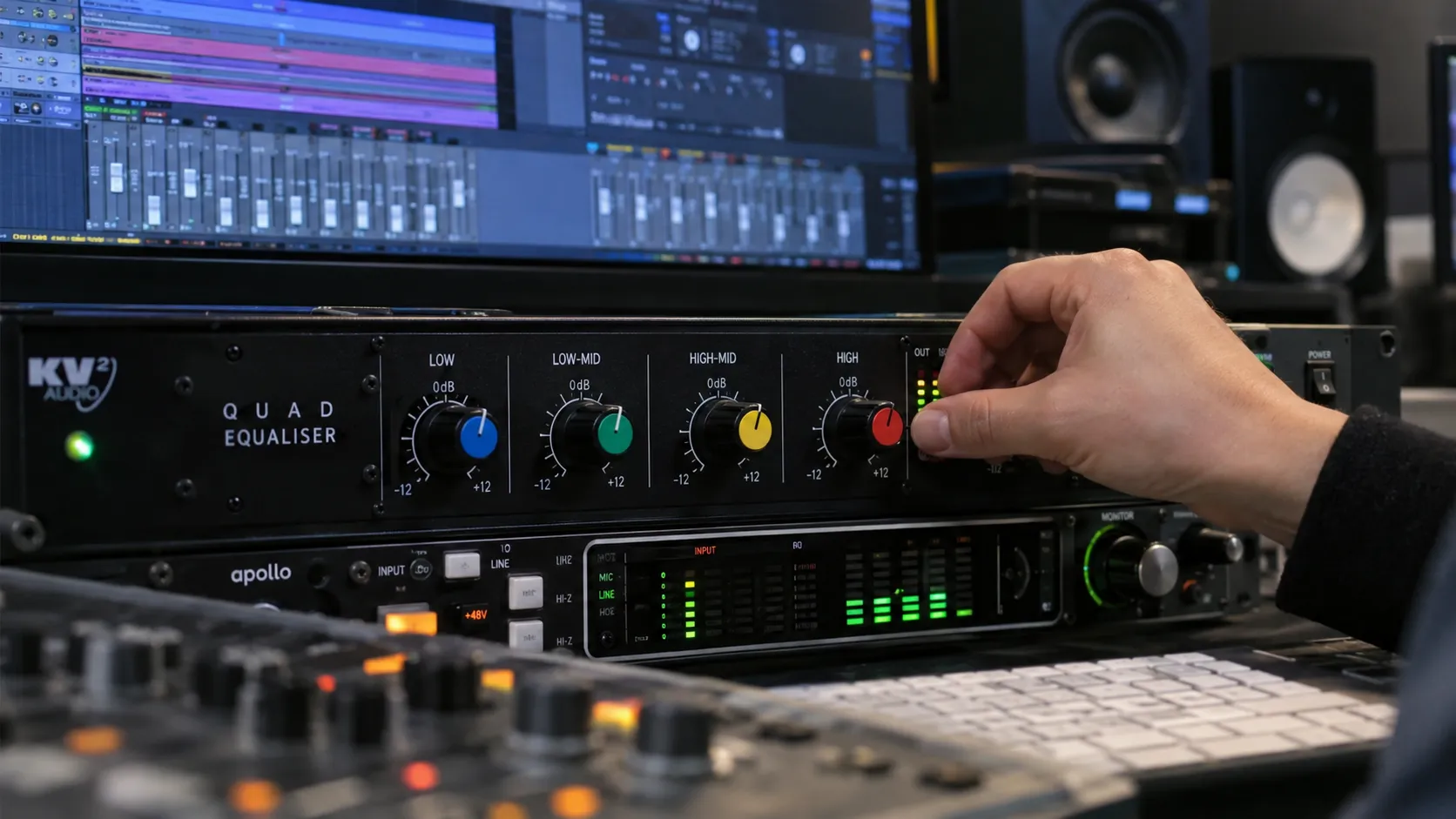
A four-band equalizer typically separates tonal adjustments into low, low-mid, high-mid, and high regions.
Each band affects different characteristics of music and speech. However, the frequency ranges are not universally fixed, and real filters often overlap.
| Frequency band | Approximate region | Main characteristics | Common adjustment |
|---|---|---|---|
| Low | 20–200 Hz | Deep bass, warmth, rumble | Reduce booming bass or increase low-end weight |
| Low-Mid | 200 Hz–1 kHz | Body, fullness, muddiness | Reduce boxiness or excessive warmth |
| High-Mid | 1–5 kHz | Vocal presence, definition, attack | Improve clarity or soften aggressive sound |
| High | 5–20 kHz | Brightness, detail, air | Reduce sharpness or add sparkle |
These ranges are practical listening references, not standardized crossover boundaries for every four-band EQ.
Low Frequencies: Bass and Warmth
The low-frequency band influences the depth and weight of audio.
Bass guitars, kick drums, electronic bass sounds, and the lower components of many instruments occupy this region.
Increasing low frequencies can give music a fuller sound, particularly when playback equipment has a restrained bass response.
Too much bass, however, can overwhelm other instruments and reduce clarity. Excessive low-frequency energy may also cause distortion when speakers or headphones approach their operating limits.
A small reduction is often more effective than dramatically boosting higher frequencies to compensate.
Low-Mid Frequencies: Body and Balance
The low-midrange contributes warmth and fullness to voices and instruments.
It also contains frequencies that can make a recording sound crowded, boxy, or muddy.
Acoustic guitars, pianos, vocals, and many other instruments share this region. When several sounds compete for the same frequency space, the mix may lack separation.
Carefully reducing unnecessary low-mid energy can help individual sounds remain distinguishable.
However, removing too much can make voices and instruments sound weak or hollow.
High-Mid Frequencies: Clarity and Presence
High-mid frequencies strongly influence how clearly listeners perceive vocals, guitars, and instrumental attacks.
This region helps speech remain understandable and allows instruments to stand out in complex recordings.
A modest boost around an appropriate presence frequency can improve clarity. However, excessive emphasis may produce harshness or listening fatigue.
Yamaha’s professional audio guidance discusses the use of high-mid adjustments to increase instrument presence and improve how individual sounds sit within a mix.
High Frequencies: Brightness and Detail
The high-frequency band affects treble, brightness, and the perception of fine detail.
Cymbals, percussion transients, vocal sibilance, and the upper harmonics of instruments contribute to this region.
Boosting appropriate high frequencies can make dull recordings sound more detailed.
Reducing them can soften excessive brightness or sharpness.
A high-frequency boost cannot restore information that was never captured in the original recording. It can only increase the level of frequency content already present.
Types of Quad Equalizers
Quad equalizers are available in different hardware and software configurations. The most important differences involve the number of processing channels, filter design, and level of user control.
Four-Band Parametric Equalizers
A parametric equalizer allows users to adjust selected frequencies more precisely.
Depending on the model, controls can include frequency, gain, and Q.
These devices are useful when a particular sound problem needs focused correction.
For example, a sound engineer might identify an unpleasant resonance around 500 Hz and reduce it without significantly affecting nearby frequencies.
Some four-band parametric equalizers provide fully adjustable filters, while others combine fixed shelving controls with adjustable midrange bands.
Four-Band Fixed-Frequency Equalizers
A fixed-frequency equalizer provides predefined frequency regions that users can boost or cut.
These systems are generally simpler to operate because they require fewer settings.
They may be found in audio mixers, amplifiers, and other sound equipment where quick tonal adjustments are more important than detailed frequency selection.
Their main limitation is flexibility. If an unwanted resonance falls between the available control frequencies, the equalizer may not correct it precisely.
Four-Channel Digital Equalizers
A four-channel digital equalizer handles four individual audio signals.
Each channel may have its own equalization settings, allowing different outputs or audio sources to be processed independently.
For example, a live sound installation might use separate processing channels for main speakers and monitor feeds.
Four-channel devices may contain considerably more than four frequency bands.
The Mackie Quad EQ is a historical example. Its documentation describes four audio channels, each equipped with 30-band graphic equalization.
Software Equalizers
Software-based equalizers perform frequency adjustments through digital signal processing.
They may operate inside music production applications, playback software, mobile applications, or hardware-management programs.
Unlike physical equalizers, software interfaces can provide visual frequency curves, stored presets, automated adjustments, and precise numerical controls.
ShurePlus PLAY, for example, includes a four-band parametric equalizer. On compatible devices, EQ settings can be saved to connected Shure audio hardware.
How to Set Up a Quad Equalizer for Better Sound
Correct equalizer settings depend on the recording, speakers, headphones, room acoustics, and listener preferences.
There is no universal preset that produces the best results in every environment.
A reliable approach begins with a neutral sound and introduces small adjustments based on an identifiable problem.
Step 1: Start With Flat Settings
Set each EQ band’s gain to 0 dB, or use the device’s flat preset.
A flat setting means the equalizer is not intentionally boosting or cutting those frequency ranges.
Listen to a familiar recording at a comfortable volume. Pay attention to whether bass is excessive, vocals are unclear, or higher frequencies sound unpleasant.
This initial listening test provides a reference for later adjustments.
Step 2: Identify the Main Problem
Determine which part of the sound needs attention.
If a podcast sounds muffled, excessive low-mid energy may be contributing to the problem.
If music lacks weight, the bass region may need adjustment.
If vocals sound aggressive or piercing, a narrow high-mid frequency region may be responsible.
Avoid adjusting several bands simultaneously before identifying the source of the problem.
Step 3: Make Small Changes
Start with modest gain adjustments, such as 1–3 dB.
Listen to the result before making another change.
Large adjustments are sometimes necessary, but they should be based on an audible problem rather than the assumption that stronger EQ always sounds better.
Mackie’s official audio-processing guidance recommends subtle equalization and warns that excessive boosting and cutting can damage the overall balance of a mix.
Step 4: Compare the Processed and Original Sound
Use the EQ bypass function, if available, to compare the adjusted signal with the original.
Try to keep perceived loudness similar during the comparison. A louder signal can appear more impressive even when the tonal balance is not genuinely better.
If the adjustment improves the sound at a matched listening level, retain it.
If the difference is unclear or makes the recording less natural, reduce or remove the change.
Step 5: Save Your Settings
Digital equalizers often support stored presets.
You can create separate configurations for music, speech, instruments, or different playback environments.
The ability to recall settings is particularly useful for live sound systems and studios where equipment is used repeatedly.
Also Read: Wachappe: Meaning, Features, Safety, and What to Know
Recommended Quad Equalizer Settings for Different Uses
Equalizer settings should be treated as starting points rather than permanent rules.
The following examples show how someone might approach common audio problems using a four-band parametric EQ.
| Application | Possible initial adjustment | Intended result |
|---|---|---|
| Podcast or spoken voice | Reduce unwanted low-mid buildup by 1–3 dB | Improve speech definition |
| Bass-heavy music | Reduce excessive bass by 1–3 dB | Control boominess |
| Dull music playback | Apply a gentle high-frequency boost of 1–2 dB | Add perceived brightness |
| Harsh electric guitar | Reduce an offending upper-midrange area by 2–3 dB | Soften aggressive frequencies |
| Boxy acoustic guitar | Try a small cut in the lower midrange | Improve tonal balance |
| Bright headphones | Apply a subtle treble reduction | Reduce excessive sharpness |
These are illustrative adjustments, not measured presets or guaranteed improvements. Their usefulness depends on the actual frequency response and sound source.
Best Settings for Music Listening
Music benefits from a balanced frequency response that preserves the relationship between instruments.
If bass overwhelms the vocals, reduce the low band slightly before increasing the high-mid band.
If a song sounds thin, experiment with a gentle low-frequency increase while checking for distortion.
Different genres have different tonal characteristics, but genre labels alone should not dictate EQ settings.
Best Settings for Podcasts and Voice Recording
Clear speech generally benefits from controlling unwanted low-frequency noise and excessive midrange buildup.
A high-pass filter may help remove rumble if the equalizer provides one.
Careful adjustments to presence frequencies can make speech easier to understand. However, excessive boosting may exaggerate sibilance and harsh consonants.
Microphone placement, recording environment, and speaking technique also influence clarity.
Best Settings for Gaming Headsets
A four-band EQ can help adjust the tonal balance of gaming audio.
Excessive bass may make explosions dominate quieter effects, so reducing it can improve the perceived balance.
A moderate presence adjustment may make certain sound effects easier to hear.
However, EQ cannot reliably isolate footsteps from all other sounds occupying similar frequencies, and strong adjustments can alter the intended game soundtrack.
Best Settings for Live Performances
Live sound systems often require equalization to improve tonal balance and manage feedback.
The engineer must account for microphone placement, loudspeaker direction, room acoustics, and changing sound levels.
A narrow reduction at a specific feedback frequency may improve stability without significantly altering the entire mix.
Shure explains that equalization can improve sound reinforcement and reduce feedback at troublesome frequencies, but it cannot compensate for every weakness in a poorly designed sound system.
Quad Equalizer vs. Graphic and Parametric Equalizers
The terms quad, graphic, and parametric describe different aspects of equalizer design.
“Quad” indicates four bands or channels, depending on the device. “Graphic” and “parametric” describe how frequency adjustments are controlled.
| Feature | Four-band EQ | Graphic EQ | Parametric EQ |
|---|---|---|---|
| Main description | Four frequency-control bands | Multiple fixed-frequency controls | Adjustable frequency filters |
| Frequency adjustment | Fixed or adjustable | Usually fixed center frequencies | Often adjustable |
| Gain adjustment | Yes | Yes | Yes |
| Q or bandwidth | Depends on design | Usually predetermined | Often adjustable |
| Complexity | Low to moderate | Depends on band count | Moderate to advanced |
| Typical uses | General tone control | System tuning and sound reinforcement | Recording, mixing, and precise correction |
A four-band equalizer can itself be parametric. Likewise, a four-channel equalizer can contain several graphic or parametric equalizers.
These categories are therefore not mutually exclusive.
What Is the Mackie Quad EQ?
The Mackie Quad EQ is a professional hardware equalizer introduced in the mid-2000s.
Unlike a basic four-band equalizer, it provides four independent audio-processing channels with 30-band graphic equalization.
Its documented features include:
- Four channels of 30-band Adaptive-Q graphic equalization.
- Real-time frequency analysis.
- Sound pressure level measurement.
- A measurement microphone input.
- High-pass and low-pass filtering.
- Balanced XLR and TRS connections.
- Stored user settings.
Contemporary industry coverage from January 2006 described the unit as part of Mackie’s Quad Series of digital signal processors.
The Mackie Quad EQ illustrates why product specifications matter more than terminology. Its four channels are separate from its 30 frequency bands per channel.
It is historical equipment rather than a newly introduced equalizer. Anyone considering a used unit should verify its operating condition, connections, documentation, and serviceability.
What Does Quad Equalizer Mean in Digital Electronics?
Outside audio, Quad Equalizer can refer to a semiconductor device that compensates for signal degradation across four high-speed data channels.
These components are used in electronic systems where signals travel through circuit-board traces or cables.
As digital signals move across an electrical transmission path, higher-frequency components can weaken. This may increase signal distortion and make reliable data recovery more difficult.
A high-speed equalizer compensates for certain transmission losses to help maintain signal integrity.
For example, Texas Instruments DS32EV400 is an active quad equalizer with four data channels.
According to Texas Instruments, the component supports data rates up to 3.2 Gbps and provides eight programmable equalization levels per channel. It is designed to compensate for transmission-medium losses in applications involving cables and printed circuit-board traces.
This technology has a fundamentally different purpose from an audio equalizer. It is designed to improve digital signal transmission, not to adjust music or speech.
Is a Quad Equalizer the Same as QUAD Hi-Fi Tone Control?
No. The word QUAD is also associated with QUAD, a manufacturer known for its audio equipment and distinctive Tilt tone-control technology.
A Tilt control changes the overall frequency balance by increasing one end of the spectrum while decreasing the other.
For example, it can make playback sound warmer by relatively increasing bass and reducing treble, or cooler by making the opposite adjustment.
QUAD’s Artera Pre documentation describes a Tilt control centered around 700 Hz, together with additional bass-filter options.
This is a different equalization approach from independently adjusting four conventional frequency bands.
Benefits of Using a Quad Equalizer
A properly configured equalizer can make meaningful improvements to audio reproduction.
Improved Sound Clarity
Reducing excessive frequencies can make vocals and instruments easier to distinguish.
This is especially useful when multiple sound sources overlap in the same frequency regions.
Greater Control Over Tonal Balance
A four-band design provides more flexibility than basic bass and treble controls.
Users can adjust low-mid and high-mid frequencies separately rather than relying on broad tonal changes.
Adaptability to Different Environments
Headphones, speakers, rooms, and recording setups influence perceived sound.
Equalization can help compensate for some differences in frequency response.
However, room correction has limits. Acoustic treatment, speaker placement, and listening position may still be necessary to address physical problems such as deep cancellation nulls and excessive reverberation.
Useful Control Without Excessive Complexity
Four frequency bands offer a practical balance between simplicity and flexibility.
They allow meaningful tonal adjustments without requiring the user to manage dozens of controls.
For beginners, that can make equalization easier to understand and apply consistently.
Limitations and Common Equalizer Mistakes
A Quad Equalizer is useful, but it cannot solve every audio problem.
Excessive Bass Boosting
Increasing bass too aggressively can overload speakers, reduce available headroom, and cause audible distortion.
The appropriate level depends on the source recording, playback equipment, and listening volume.
Overprocessing the Midrange
Large midrange cuts can make recordings sound hollow.
Similarly, excessive boosts may produce nasal, boxy, or harsh sound.
More processing does not necessarily mean better processing.
Trying to Correct Poor Recordings
An equalizer cannot fully repair clipping, background interference, or information missing from the original recording.
Some problems require better recording techniques, noise reduction, editing, or different equipment.
Ignoring Room Acoustics
A room can create resonances and cancellations that influence the listener’s perception of bass and other frequencies.
Equalization may reduce some peaks, but it cannot eliminate physical reflections or correct every cancellation.
Moving speakers or improving acoustic treatment may provide a more effective solution.
Using Presets Without Listening
A preset designed for one pair of headphones may sound unsuitable on another.
Frequency response varies between products, and listening preferences are subjective.
The most reliable settings are those evaluated using the actual device and listening environment.
How to Choose the Right Quad Equalizer
Selecting an equalizer begins with determining whether four frequency bands or four independent audio channels are required.
A simple four-band EQ may be sufficient for adjusting music, podcasts, and general playback.
Professional installations or complex live systems may require multichannel processing and more precise control.
Important specifications to examine include filter types, adjustable frequency ranges, gain limits, available Q settings, channel count, input and output connections, signal-processing delay, and the availability of stored presets.
Software compatibility also matters when choosing a digital equalizer.
Some applications apply EQ only during playback within that application, while others can save settings directly to supported hardware.
The best choice is not necessarily the system with the most controls. It is the one that provides the adjustments required for the actual sound problem.
Frequently Asked Questions
1. What is the purpose of a Quad Equalizer?
A Quad Equalizer adjusts the balance of selected audio frequencies or provides independent equalization across four channels. Its purpose is to improve tonal balance, manage unwanted frequencies, and help sound systems perform more effectively.
2. Is a Quad Equalizer better than a regular equalizer?
Not necessarily. A four-band equalizer provides more control than basic two-band tone adjustment, but it may offer less precision than a fully adjustable multiband parametric equalizer. Performance depends on the filter design and the user’s requirements.
3. What are the best Quad Equalizer settings for clear vocals?
Start with a flat EQ and listen for excessive low-mid buildup, harshness, or insufficient presence. Small, targeted cuts or boosts may improve clarity, but the correct frequency and gain depend on the voice, microphone, recording, and playback equipment.
4. Can a Quad Equalizer improve bass?
Yes. It can adjust the level of low-frequency content, making bass seem fuller or more controlled. However, it cannot make speakers reproduce frequencies beyond their physical capabilities, and excessive boosting may introduce distortion.
5. What is the difference between a four-band and a four-channel equalizer?
A four-band equalizer provides four frequency-control sections for an audio signal. A four-channel equalizer processes four separate audio signals, and each channel may contain many frequency bands.
6. Can I use a Quad Equalizer on my computer or smartphone?
Yes, if compatible audio software or hardware provides the required EQ functionality. Some headphone applications and music production programs offer four-band parametric equalization. Available features and whether settings apply system-wide depend on the specific application and device.
Final Thoughts
A Quad Equalizer can provide useful control over frequency balance, whether it is a simple four-band tone processor or a professional four-channel system.
For everyday audio, the most important factors are understanding the frequency bands, recognizing the problem you want to correct, and making careful adjustments.
Small, intentional changes are generally a better starting point than dramatic boosts and cuts. With suitable equipment and thoughtful settings, equalization can improve clarity, balance, and listening comfort without sacrificing the natural character of the original sound.
Also Read: NippyBox: What It Was, What Happened, and Whether It Is Safe in 2026
